Vanishing Groups Are here... and also gone: The Group Chat That Disappears
Apr 2, 2026
Some of the best moments don't last forever. And now, neither does your group chat.
Introducing Vanishing Groups, a brand new way to chat on GroupMe. These are time-limited group chats that disappear after a short burst of activity. No leftovers. No clutter. Just the moment, and then it's gone.
You create it, you live it, and when the timer runs out? The chat vanishes, the messages fade away, and all that's left is a memory.
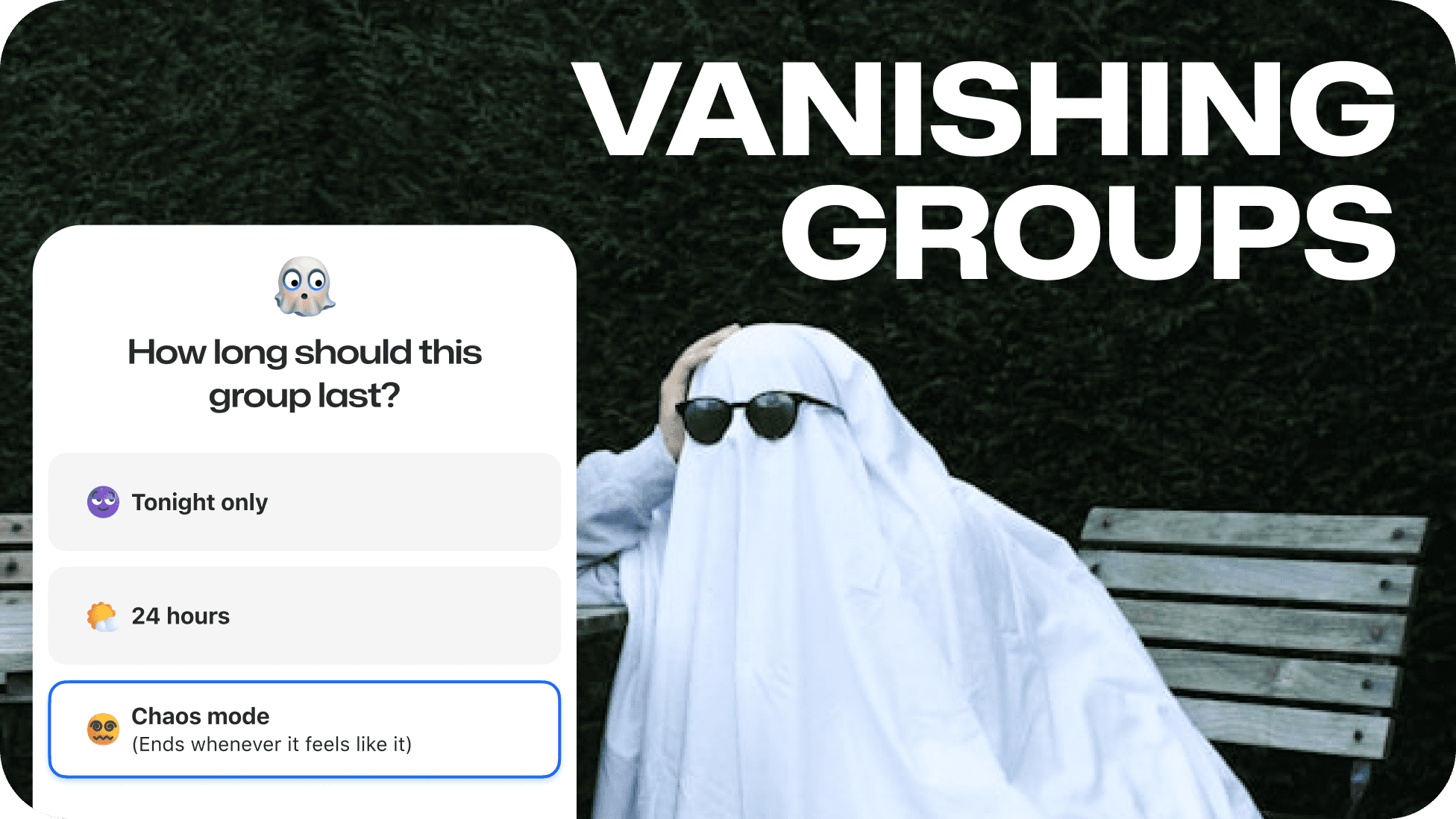
How It Works
Starting a Vanishing Group is just as easy as creating any GroupMe chat. Pick your people, give it a name, and then choose your countdown:
Tonight Only: The chat lives until midnight. Perfect for spontaneous plans that don't need a paper trail.
One Day: A full 24-hour window. Great for game days, study sessions, or weekend adventures.
Chaos Mode: The group vanishes at a random time within 12 hours. Nobody knows when. Good luck.
Once the clock is ticking, everyone in the group can see how much time is left. As the end approaches, you'll get a countdown and a push notification so nobody misses the final moments.
And when time's up? The chat vanishes. A farewell animation plays, and the messages disappear. Gone. Not archived. Not hidden. Gone forever. There's no way to scroll back through and relive it. You had to be there.
All that remains is a tombstone card with the group's stats: who was in it, how long it lasted, how many messages flew. A little artifact of the moment that was. Think of it as a trophy for showing up.
And that tombstone card? It has a button to start a new group with the same people. So if the vibe was right, you can run it back instantly.
Why You'll Love It
We've all been there. You make a group chat for one event, and then it just... sits there. Forever. Taking up space. Collecting dust. Vanishing Groups solve that. They're built to disappear so your chat list stays clean.
Every Moment Feels Bigger
When you know the chat has an expiration date, something shifts. People show up. Messages fly faster. Inside jokes hit harder. There's an energy to a group that's living on borrowed time, and it makes the whole conversation feel like an event.
Plus, knowing that the conversation disappears forever raises the stakes. No screenshots of context. No revisiting the thread a week later. If you weren't there, you missed it. That's the point.
Chaos Mode Is Unhinged (In the Best Way)
Not knowing when the group will vanish adds a layer of unpredictability that's genuinely fun. Will it last 2 hours? 11? You won't know until the countdown notification hits. It's perfect for people who like to keep things interesting.
When to Use Vanishing Groups
The beauty of Vanishing Groups is that they work for almost any short-lived moment. Here are a few ideas to get you started:
Game day watch parties. Create a group for the big game. Talk trash, celebrate, commiserate. When the final whistle blows, so does the chat.
Study sprints. Midterms coming up? Start a one-day group to keep your study crew focused and accountable.
Afterparties and late-night plans. "Tonight Only" was basically made for this. Coordinate where to go next without cluttering up your main group chats.
Pop-up hangouts. Someone tweets "who's free right now?" Start a Vanishing Group. Round up the crew. Let the moment happen.
Festival and concert weekends. Keep coordination tight for the weekend without creating a group you'll never use again.
Fantasy draft day. One day. One draft. One Vanishing Group for all the hot takes. When the draft's done, so is the chat.
Built for the Moment
GroupMe has always been about bringing people together. Vanishing Groups bring people together right now, for the thing that's happening right now. No setup, no commitment, no chat that lingers in your list for months.
It's a new kind of group chat for the moments that are spontaneous, chaotic, and totally worth it.
Vanishing Groups are available now on iOS, Android, and the web. Open GroupMe, start a new group, and look for the Vanishing Group option.
Pick your timer. Invite your people. And enjoy the countdown.
Getting Started with GroupMe
Get the app: Download the GroupMe App or navigate to GroupMe.com
Sign Up or Log In: Go to GroupMe and sign up for an account if you don’t have one. If you already have an account, simply log in.
Create a Group Chat or Event Group: Once logged in, create a new "Event Group". This will be the central hub for all communications about your event.
Invite Members: Send out invites to your community to collect RSVPs for your event. When they RSVP, they'll automatically be added to your event group chat. You can do this directly within the app by sharing a join link or entering in their phone number.


