Remix Photos in Your Group Chat: Turn Any Image into Something Wild
Mar 18, 2026
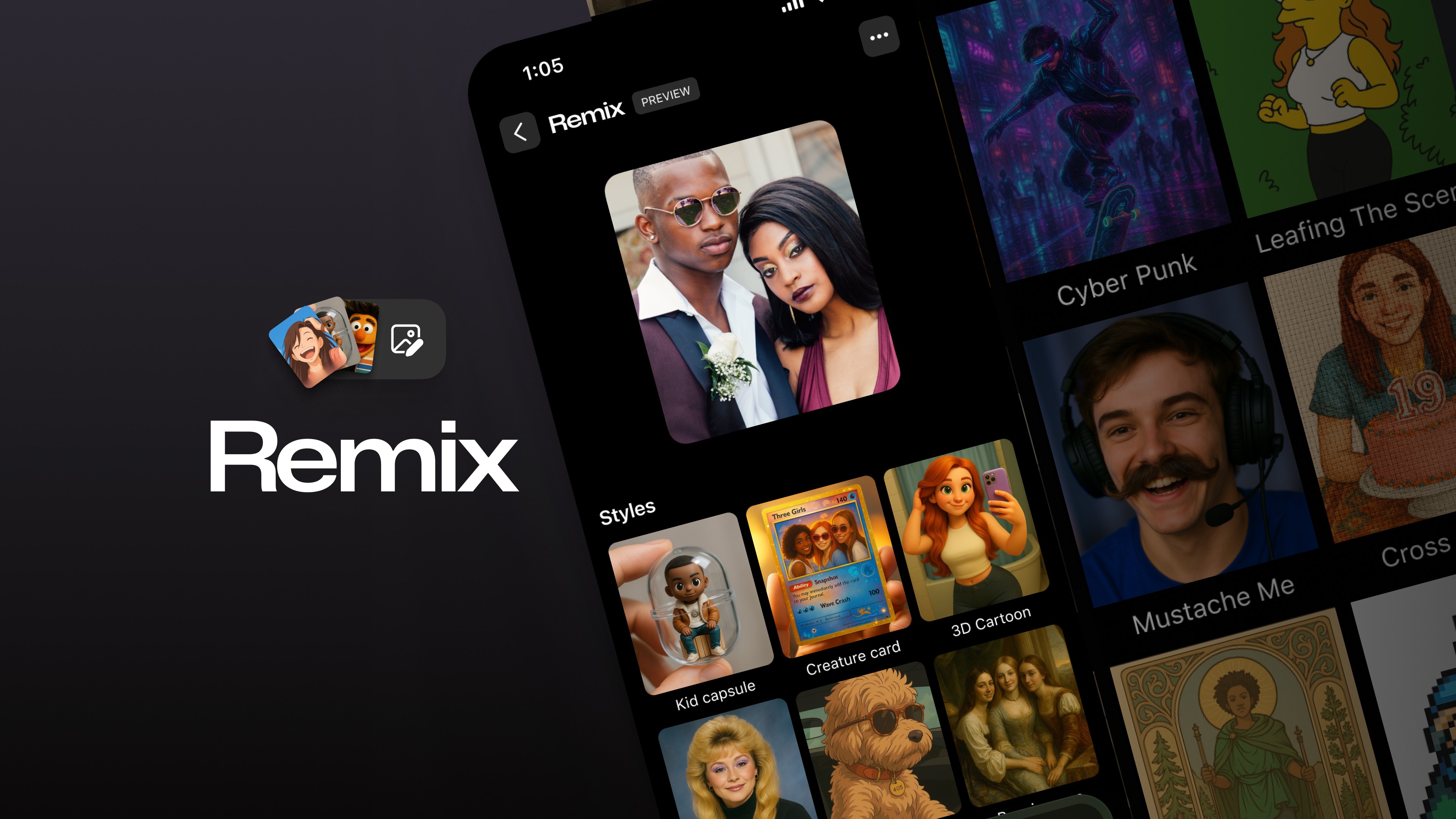
You know that photo your friend just dropped in the group chat? The blurry selfie, the awkward candid, the completely random screenshot? What if you could turn it into something totally unexpected with a single tap?
That's Remix. It's a built-in feature in GroupMe that lets you remix any photo in your group chat using AI-powered styles. Pick an image, choose a style (or write your own prompt), and watch it transform into something hilarious, artistic, or completely unhinged. All without ever leaving the conversation.
How to Remix Photos in GroupMe
Remixing photos in your group chat takes seconds. Here's how it works:
Open any image in your GroupMe group chat, or upload a new one.
Tap Remix to get started.
Pick a style from a set of trending options, or type in your own custom prompt for something totally unique.
🔄️ Tap "Remix Again" to keep going with a new look. Every tap is a surprise.
That's it. No separate app. No downloads. No learning curve. Just tap and create.
Now Even Faster
We've made Remix faster. Remixed images now generate quicker than before, so the creative energy in your group chat never stalls. Whether you're in the middle of a rapid-fire remix session or just casually transforming a photo, the speed upgrade means less waiting and more laughing.
Your group chat moves fast. Now Remix keeps up.
Why Remix Hits Different in a Group Chat
There are plenty of AI image tools out there. You've probably tried a few solo. But remixing photos with friends in a live group chat? That's a completely different experience.
It's Collaborative
When you remix a photo, everyone in the group sees it. And anyone can jump in and remix it again. One image becomes ten different versions, each more ridiculous (or more beautiful) than the last. It's creative chaos with your favorite people.
It's Competitive
Who can create the funniest remix? The most cursed? The most artistic? Remix sessions have a way of turning into unspoken competitions, and everyone gets invested. The reactions alone are worth it.
It's Spontaneous
You don't have to plan a "remix night." It just happens. Someone shares a photo, someone else hits Remix, and suddenly the whole group is going back and forth with increasingly wild creations. That's the magic of having it built directly into your group chat.
Creative Ways to Use Remix
Not sure where to start? Here are some ideas to kick off your first remix session:
Roast the group photo. Take your squad's latest pic and remix it into every style imaginable. Renaissance painting? Anime? Watercolor? Go wild.
Make custom memes. Grab a funny screenshot or candid and remix it into something shareable. Inside jokes just leveled up.
Fantasy league trash talk. Remix your opponent's profile picture and drop it in the league chat. Instant legends.
Birthday surprises. Remix a friend's photo into a dozen different art styles and flood the chat on their birthday. Way better than a generic happy birthday text.
Before and after game day. Remix the pre-game hype photo and the post-game reality. Both versions tell a story.
Create album art. Have a group playlist or road trip coming up? Remix a photo into something that looks like actual album cover art.
Trending Styles and Custom Prompts
When you open Remix, you'll see a set of curated styles that rotate with fresh options. These are one-tap transformations that instantly change the look and feel of any image.
But the real fun? Custom prompts. Type in whatever you want: "turn this into a 90s album cover," "make it look like a medieval painting," "pixel art version." The AI takes your words and runs with them, so every prompt is an experiment.
Mix trending styles with your own ideas. There's no right or wrong way to remix, and there's no limit to how many times you can do it.
Built for Your Whole Group
One of the best things about Remix in GroupMe is that it doesn't require everyone to have the latest phone or a separate account. If you're in the group chat, you can see every remix. And on supported devices, you can jump in and start remixing yourself.
That means your entire group, whether they're on iOS, Android, or the web, gets to enjoy the results. No one's left out of the fun.
Start Remixing
Remix is available now in GroupMe. Open a group chat, find a photo (any photo), and tap Remix. Pick a style or write a prompt. See what happens. Then do it again.
Your group chat is about to get a lot more creative, a lot more competitive, and a lot more fun.


