GroupMe Voice Notes: No typing required

Dec 17, 2025
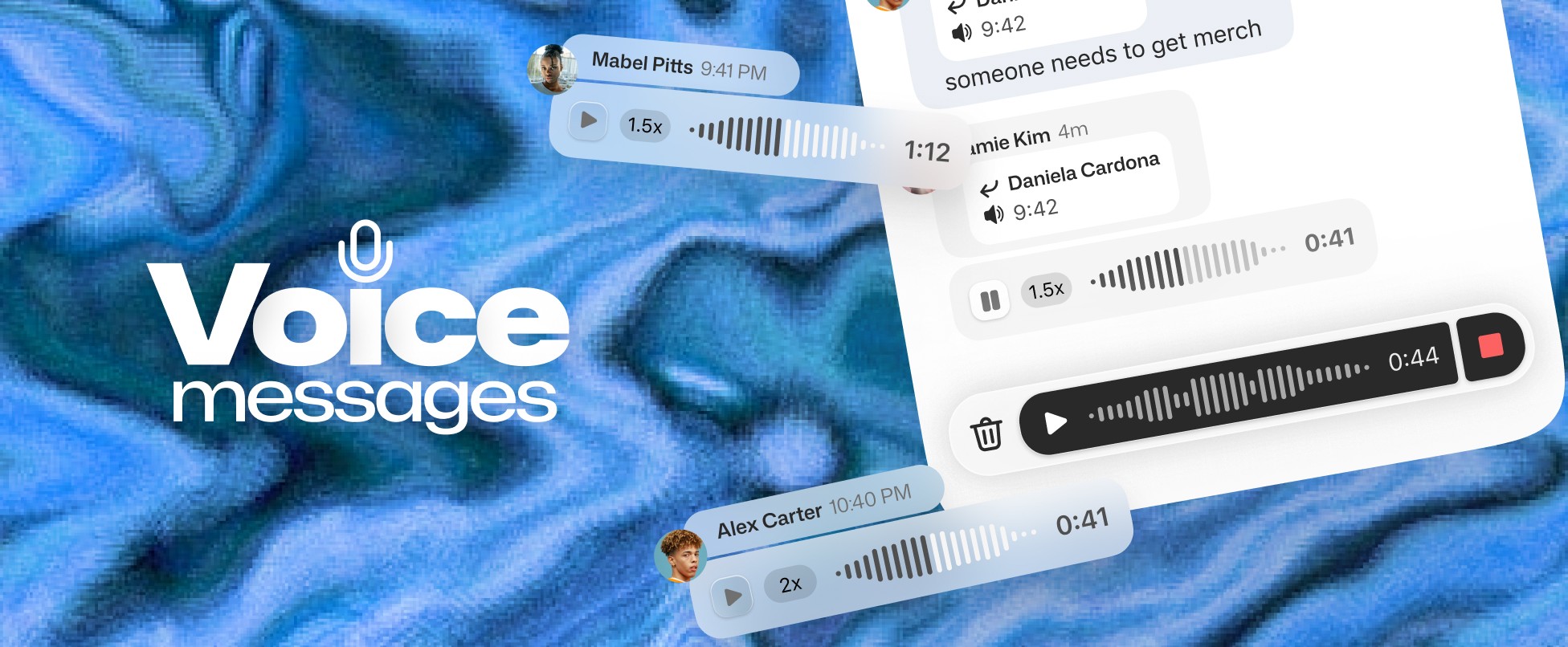
Sometimes typing just isn’t enough. Maybe you’ve got the tea and your fingers can’t keep up, or you’re packing for a trip and need to share plans fast. “HBD” feels too basic for a birthday, and explaining a tricky concept in a study group takes forever to type. Even catching up while walking the dog is a challenge. Voice Messages make it simple.

Sometimes typing just isn’t enough. Maybe you’ve got the tea and your fingers can’t keep up, or you’re packing for a trip and need to share plans fast. “HBD” feels too basic for a birthday, and explaining a tricky concept in a study group takes forever to type. Even catching up while walking the dog is a challenge. Voice Messages make it simple.

Sometimes typing just isn’t enough. Maybe you’ve got the tea and your fingers can’t keep up, or you’re packing for a trip and need to share plans fast. “HBD” feels too basic for a birthday, and explaining a tricky concept in a study group takes forever to type. Even catching up while walking the dog is a challenge. Voice Messages make it simple.

Tap, talk, and let your voice do the work. Share your thoughts in your own voice and make every chat feel personal and effortless.

How it works

Voice Messages bring the warmth and clarity of real conversation to your group chats. They’re quick, expressive, and perfect for those moments when typing just isn’t enough.

Tap, talk, and let your voice do the work. Share your thoughts in your own voice and make every chat feel personal and effortless.

How it works

Voice Messages bring the warmth and clarity of real conversation to your group chats. They’re quick, expressive, and perfect for those moments when typing just isn’t enough.

Tap, talk, and let your voice do the work. Share your thoughts in your own voice and make every chat feel personal and effortless.

How it works

Voice Messages bring the warmth and clarity of real conversation to your group chats. They’re quick, expressive, and perfect for those moments when typing just isn’t enough.

No Typing Required: Just tap the mic on the compose and talk. Your thumbs deserve a break.

Your Voice, Your Vibe: Text can get lost in tone translation. Voice notes capture your vibe, excitement and energy that text messages could never.

Playback Control: Members can listen at normal speed or speed things up when you’re feeling extra chatty.

Getting Started with GroupMe

Get the app: Download the GroupMe App or navigate to GroupMe.com 

Sign Up or Log In: Go to GroupMe and sign up for an account if you don’t have one. If you already have an account, simply log in. 

Create a Group Chat or Event Group: Once logged in, create a new "Event Group". This will be the central hub for all communications about your event.

Invite Members: Send out invites to your community to join the group. You can do this directly within the app by sharing a join link or entering in their phone number.

No Typing Required: Just tap the mic on the compose and talk. Your thumbs deserve a break.

Your Voice, Your Vibe: Text can get lost in tone translation. Voice notes capture your vibe, excitement and energy that text messages could never.

Playback Control: Members can listen at normal speed or speed things up when you’re feeling extra chatty.

Getting Started with GroupMe

Get the app: Download the GroupMe App or navigate to GroupMe.com 

Sign Up or Log In: Go to GroupMe and sign up for an account if you don’t have one. If you already have an account, simply log in. 

Create a Group Chat or Event Group: Once logged in, create a new "Event Group". This will be the central hub for all communications about your event.

Invite Members: Send out invites to your community to join the group. You can do this directly within the app by sharing a join link or entering in their phone number.

No Typing Required: Just tap the mic on the compose and talk. Your thumbs deserve a break.

Your Voice, Your Vibe: Text can get lost in tone translation. Voice notes capture your vibe, excitement and energy that text messages could never.

Playback Control: Members can listen at normal speed or speed things up when you’re feeling extra chatty.

Getting Started with GroupMe

Get the app: Download the GroupMe App or navigate to GroupMe.com 

Sign Up or Log In: Go to GroupMe and sign up for an account if you don’t have one. If you already have an account, simply log in. 

Create a Group Chat or Event Group: Once logged in, create a new "Event Group". This will be the central hub for all communications about your event.

Invite Members: Send out invites to your community to join the group. You can do this directly within the app by sharing a join link or entering in their phone number.

✦ EST 2010 ✦ NEW YORK CITY