Catch up without the scroll. GroupMe Chat Summaries are here!

Dec 16, 2025

Group chats are where the magic happens. Plans are made, jokes fly, and moments unfold in real time. But sometimes life gets busy, and scrolling through hundreds of messages just isn’t in the cards. That’s where Chat Summaries come in.

GroupMe now offers chat summaries that make it easy to stay in the loop. Whether you’ve missed a handful of messages or a full-blown meme storm, the vibe summary pulls out key takeaways, action items, and even inside jokes so you’re never out of sync. It’s like having a friend who reads the whole thread and gives you the highlights without the guilt trip.
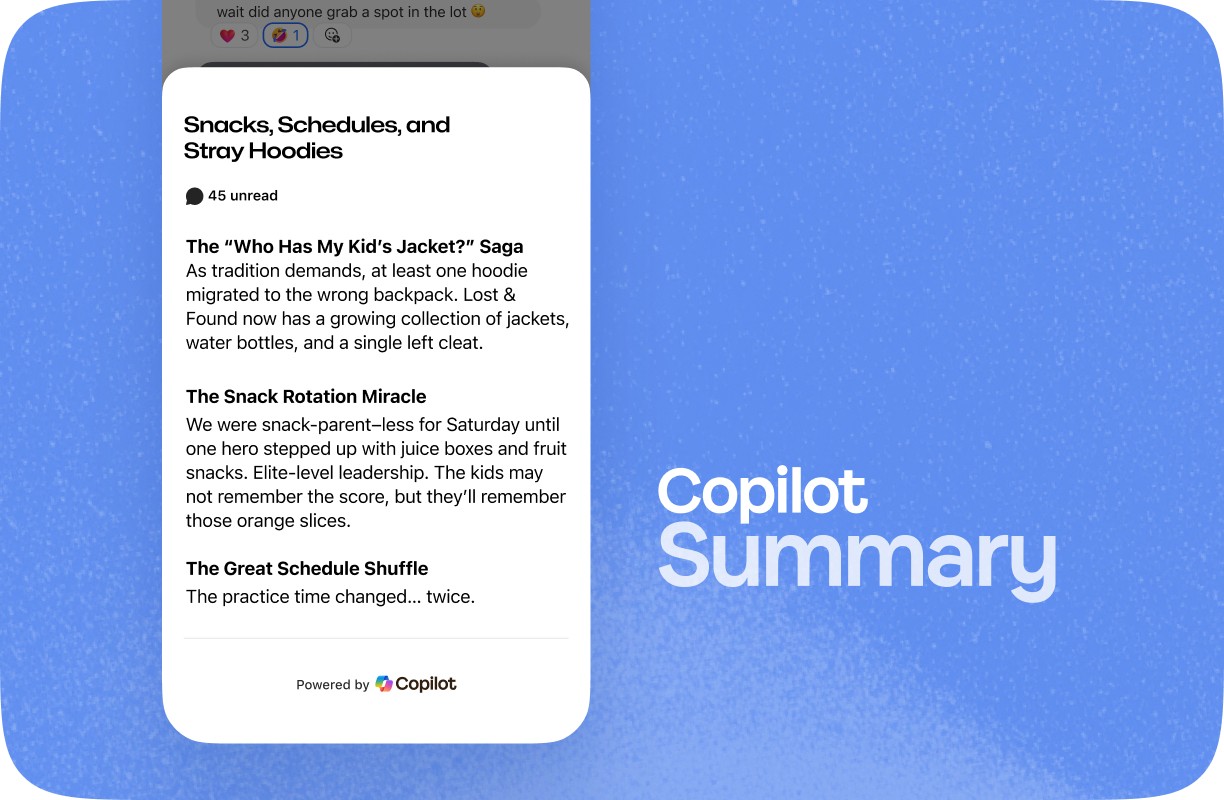
Chat Summaries are powered by Microsoft Copilot. It captures the rhythm of your group’s conversation and distills it into a recap that feels natural and relevant. It’s not just about keywords. It’s about context, tone, and what really matters to your crew. From weekend plans to spontaneous debates, Copilot helps you catch up with confidence.

✅ Skip the scroll and get straight to the good stuff

✅ Stay connected even when you’re offline

✅ Rejoin the conversation without asking “What did I miss?”

✅ Relive the vibe, not just the facts

Whether you’re in a study group, a creator squad, or a family thread that never sleeps, Chat Summaries make it easier to stay present even when you’re catching up.

Want to see it in action? Just hop into your GroupMe app and look for the summary banner in your group chat. It’s your shortcut to staying in sync.

Group chats are where the magic happens. Plans are made, jokes fly, and moments unfold in real time. But sometimes life gets busy, and scrolling through hundreds of messages just isn’t in the cards. That’s where Chat Summaries come in.

GroupMe now offers chat summaries that make it easy to stay in the loop. Whether you’ve missed a handful of messages or a full-blown meme storm, the vibe summary pulls out key takeaways, action items, and even inside jokes so you’re never out of sync. It’s like having a friend who reads the whole thread and gives you the highlights without the guilt trip.

Chat Summaries are powered by Microsoft Copilot. It captures the rhythm of your group’s conversation and distills it into a recap that feels natural and relevant. It’s not just about keywords. It’s about context, tone, and what really matters to your crew. From weekend plans to spontaneous debates, Copilot helps you catch up with confidence.

✅ Skip the scroll and get straight to the good stuff

✅ Stay connected even when you’re offline

✅ Rejoin the conversation without asking “What did I miss?”

✅ Relive the vibe, not just the facts

Whether you’re in a study group, a creator squad, or a family thread that never sleeps, Chat Summaries make it easier to stay present even when you’re catching up.

Want to see it in action? Just hop into your GroupMe app and look for the summary banner in your group chat. It’s your shortcut to staying in sync.

Group chats are where the magic happens. Plans are made, jokes fly, and moments unfold in real time. But sometimes life gets busy, and scrolling through hundreds of messages just isn’t in the cards. That’s where Chat Summaries come in.

GroupMe now offers chat summaries that make it easy to stay in the loop. Whether you’ve missed a handful of messages or a full-blown meme storm, the vibe summary pulls out key takeaways, action items, and even inside jokes so you’re never out of sync. It’s like having a friend who reads the whole thread and gives you the highlights without the guilt trip.

Chat Summaries are powered by Microsoft Copilot. It captures the rhythm of your group’s conversation and distills it into a recap that feels natural and relevant. It’s not just about keywords. It’s about context, tone, and what really matters to your crew. From weekend plans to spontaneous debates, Copilot helps you catch up with confidence.

✅ Skip the scroll and get straight to the good stuff

✅ Stay connected even when you’re offline

✅ Rejoin the conversation without asking “What did I miss?”

✅ Relive the vibe, not just the facts

Whether you’re in a study group, a creator squad, or a family thread that never sleeps, Chat Summaries make it easier to stay present even when you’re catching up.

Want to see it in action? Just hop into your GroupMe app and look for the summary banner in your group chat. It’s your shortcut to staying in sync.

Getting Started with GroupMe

Get the app: Download the GroupMe App or navigate to GroupMe.com 

Sign Up or Log In: Go to GroupMe and sign up for an account if you don’t have one. If you already have an account, simply log in. 

Create a Group Chat or Event Group: Once logged in, create a new "Event Group". This will be the central hub for all communications about your event.

Invite Members: Send out invites to your community to join the group. You can do this directly within the app by sharing a join link or entering in their phone number.

Getting Started with GroupMe

Get the app: Download the GroupMe App or navigate to GroupMe.com 

Sign Up or Log In: Go to GroupMe and sign up for an account if you don’t have one. If you already have an account, simply log in. 

Create a Group Chat or Event Group: Once logged in, create a new "Event Group". This will be the central hub for all communications about your event.

Invite Members: Send out invites to your community to join the group. You can do this directly within the app by sharing a join link or entering in their phone number.

Getting Started with GroupMe

Get the app: Download the GroupMe App or navigate to GroupMe.com 

Sign Up or Log In: Go to GroupMe and sign up for an account if you don’t have one. If you already have an account, simply log in. 

Create a Group Chat or Event Group: Once logged in, create a new "Event Group". This will be the central hub for all communications about your event.

Invite Members: Send out invites to your community to join the group. You can do this directly within the app by sharing a join link or entering in their phone number.

✦ EST 2010 ✦ NEW YORK CITY